







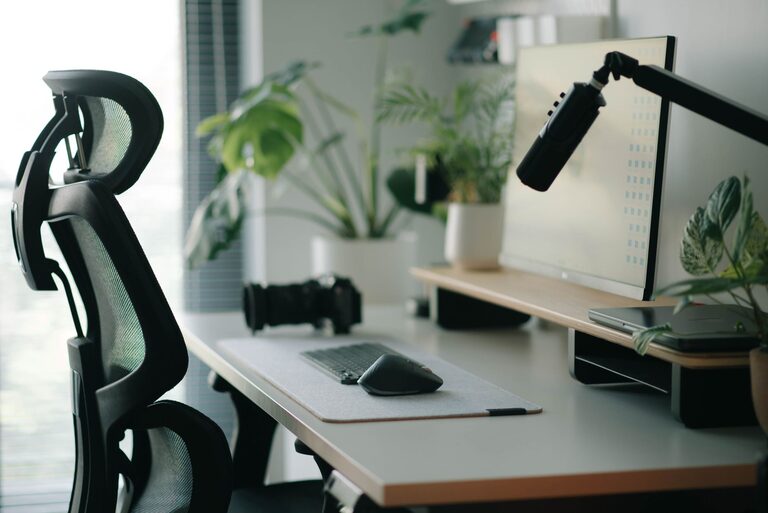
When it comes to working or studying, the environment you create around you has a big impact on both your focus and comfort. A well-organized, ergonomic desk setup can help reduce distractions, prevent physical discomfort, and keep you productive for longer periods. Whether you work from home, in an office, or just need a better place to study, these desk setup tips will help you create a space that supports your best work.
Why Your Desk Setup Matters
A thoughtfully arranged desk supports good posture, reduces eye strain, and minimizes clutter-related distractions. It can also encourage a healthier routine by making breaks and movement easier to integrate into your day. Improving your desk setup is an investment in your well-being and productivity.
—
Key Elements of an Effective Desk Setup
1. Ergonomic Chair and Desk Height
– Chair: Choose a chair with good lumbar support and adjustable height. Your feet should rest flat on the floor or a footrest, and your knees should be at about a 90-degree angle.
– Desk: The desk height should allow your elbows to bend at roughly 90 degrees when typing or writing, keeping your wrists straight and relaxed.
Adjusting these two factors correctly helps prevent back, neck, and wrist pain.
2. Monitor Placement
– Position your monitor directly in front of you, about an arm’s length away.
– The top of the screen should be at or slightly below eye level. This reduces neck strain and encourages good posture.
– If you use multiple screens, keep them close together and at the same height to minimize head turning.
3. Keyboard and Mouse Positioning
– Keep your keyboard and mouse close enough so your elbows stay close to your body.
– Consider using an ergonomic keyboard or split keyboard to reduce wrist strain.
– A mouse pad with wrist support can also help maintain a neutral wrist position.
4. Lighting
– Use natural light when possible but avoid glare on your screen.
– Position your desk near a window, but sideways rather than directly facing it.
– Add soft, adjustable task lighting to reduce eye strain without creating harsh shadows.
—
Organizing Your Desk to Improve Focus
1. Declutter Regularly
– Keep only essentials on your desk.
– Use trays, drawers, or organizers to store supplies and paperwork.
– A clean desk helps clear your mind and reduces visual distractions.
2. Use Cable Management Solutions
– Tangled cords can look messy and get in the way.
– Use clips, sleeves, or under-desk trays to keep cables tidy and out of sight.
3. Add Personal but Minimal Decor
– A small plant or a photo can make your workspace inviting.
– Avoid too many decorations which can distract your attention.
—
Comfort-Boosting Accessories
1. Desk Mat or Wrist Rest
– These provide cushioning and reduce pressure points while typing or using a mouse.
2. Footrest
– Helps maintain proper posture if your feet don’t comfortably reach the floor.
3. Headphones
– Noise-canceling headphones can help you stay focused if you work in noisy environments.
—
Healthy Habits to Complement Your Setup
1. Take Regular Breaks
– Follow the 20-20-20 rule: every 20 minutes, look at something 20 feet away for 20 seconds.
– Stand up or stretch every hour to boost circulation.
2. Stay Hydrated
– Keeping water nearby encourages regular hydration, which supports concentration.
3. Adjust as Needed
– Don’t be afraid to rearrange your setup if something isn’t working.
– Comfort and focus needs may change over time.
—
Final Thoughts
Optimizing your desk setup is about creating a balance between ergonomics and a clutter-free, inviting environment. By paying attention to chair and desk height, monitor position, lighting, and organization, you can build a workspace designed to improve your focus and keep you comfortable. Pair these physical changes with healthy habits, and you’ll set yourself up for success no matter what your day brings.